|
|
|
|


Create a Business Account
If you already have a personal Parallels Account (but not a business account) and would like to register a business subscription, do the following:
-
Visit Parallels My Account at
https://my.parallels.com - Sign in using your email address and password.
- Click Register Key on the page header.
- Input your Parallels Desktop Business Edition license key and click Register .
-
In the
Provide your business details
dialog, enter you company name, address, and phone number.
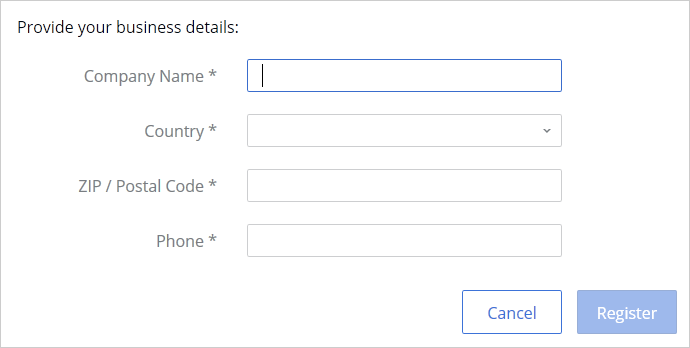
- Click Register .
- You will now be taken to Dashboard where you can see your registered Parallels products.
Summary
After completing the steps above:
- A business Parallels account is created for your organization to which you are assigned as the account administrator.
- Your Parallels Desktop Business Edition license key is registered and can be used to activate Parallels Desktop on Mac computers in your organization.
- You can manage your business subscription(s) by signing in to your personal account and then selecting the business account from the drop down list in the upper left.
 Top of page
|
 Feedback
|