|
|
|
|


Create a Parallels Account and Register a Subscription
Before you can activate Parallels Desktop Business Edition on Mac computers, you need to create a Parallels account and register your subscription. The instructions below describe how to do it.
Personal vs. Business Account
There are two types of Parallels accounts:
- Personal account is used to manage subscriptions to Parallels consumer products. The account is also required to manage Parallels business products.
- Business account is registered to your organization and is used to manage business products, such as Parallels Desktop for Mac Business Edition. A business account is created for your organization when you register a business subscription for the first time.
What you should read next
- If you are a new customer and don't have a Parallels account, continue reading this section.
- If you already have a personal account (but not a business account), you may skip to Create a Business Account .
- If you already have both personal and business accounts, you may skip to Register a Subscription .
Create a Parallels Account
-
Visit Parallels My Account at
https://my.parallels.com -
On the
Sign In
page, select
I am a new user
.
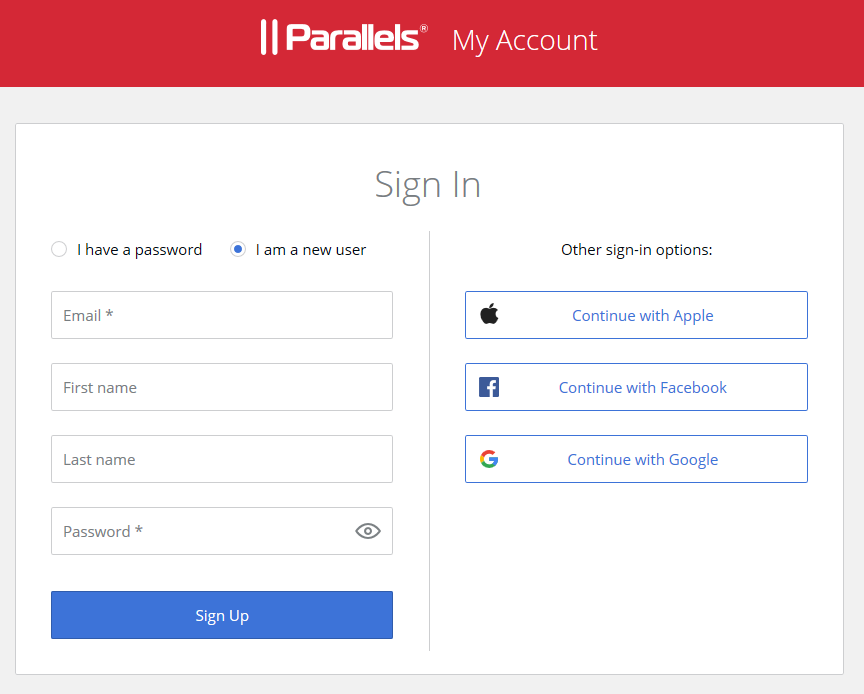
- Enter your email address, your first and last names, and a password. This will create a personal Parallels account for you.
- Click Sign Up and follow the onscreen instructions.
-
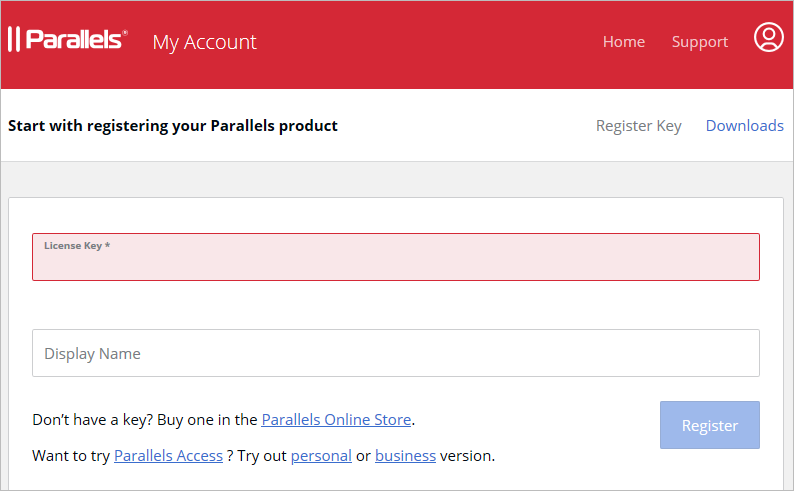
In the dialog that opens after you create a person account, type your Parallels Desktop Business Edition license key that you received with your subscription and click
Register
.
-
You will now be asked to create a business account for your organization. In the
Provide your business details
dialog, enter you company name, address, and phone number.
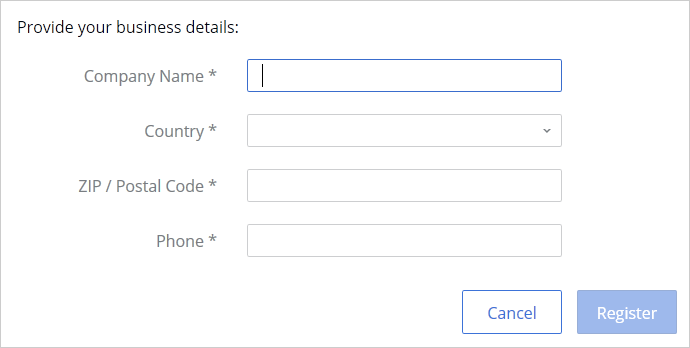
- Click Register .
-
You will now be taken to
Dashboard
, which is the home page of your Parallels account where you can see your registered Parallels products.
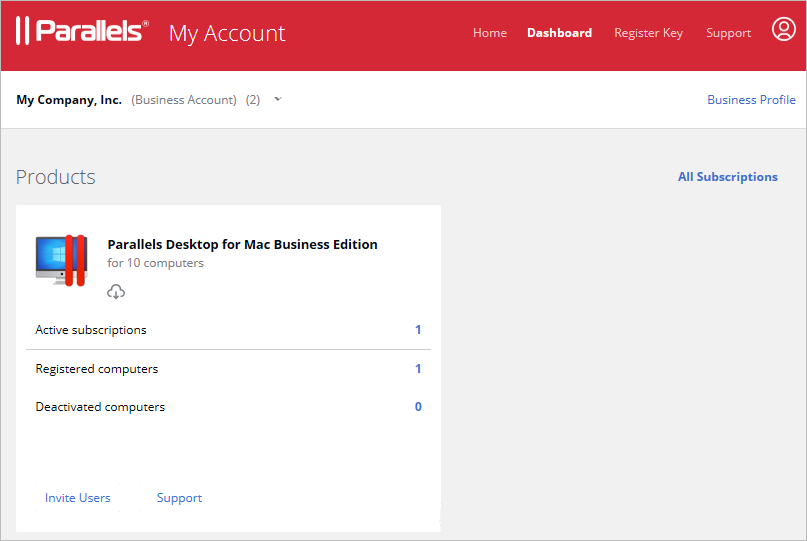
Hint: To return to the Dashboard from any other area of Parallels My Account, simply click the Dashboard link on the page header at any time.
Summary
After completing the steps above:
- A personal Parallels account is created for you.
- A business Parallels account is created for your organization to which you are assigned as the account administrator.
- Your Parallels Desktop Business Edition license key is registered and can be used to activate Parallels Desktop on Mac computers in your organization.
 Top of page
|
 Feedback
|