Optimization Settings
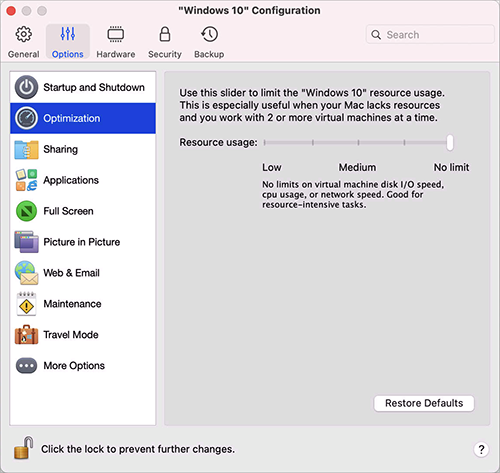
In the Optimization pane, you can limit the virtual machine resource usage.
To open these settings, choose Actions > Configure > Options , then click Optimization .
Note: This tab is available in Parallels Desktop for Mac Pro and Business Editions only.
|
Option |
Description |
|
Resource usage |
If your Mac lacks resources for running two or more virtual machines at a time, you can limit the virtual machine resource usage for the virtual machine doing more important work to have more resources. Drag the slider between Low , Medium , and No limi t points. If you change this setting and then don't like how Windows is performing, then try a different setting. |
 Top of page
|