Set Internet Links or Emails to Always Open in macOS or Windows
By default, clicking a link in Windows opens the default Windows application for that link type, and clicking a link in macOS opens the default macOS application. The same with emails, when you open an email in Windows, it opens in the default Windows email client, and when you open an email in macOS, it opens in the default macOS email application.
You can set links and emails to always open in macOS or in Windows no matter where you click them.
Note: For this feature to function, Parallels Tools must be installed . In most cases, Parallels Tools are installed by default.
Set Internet Links to Always Open in macOS or Windows
To set all links that you click in macOS to always open in Windows, do the following:
- In macOS, open System Preferences > General .
-
From the
Default web browser
menu, select a Windows browser.
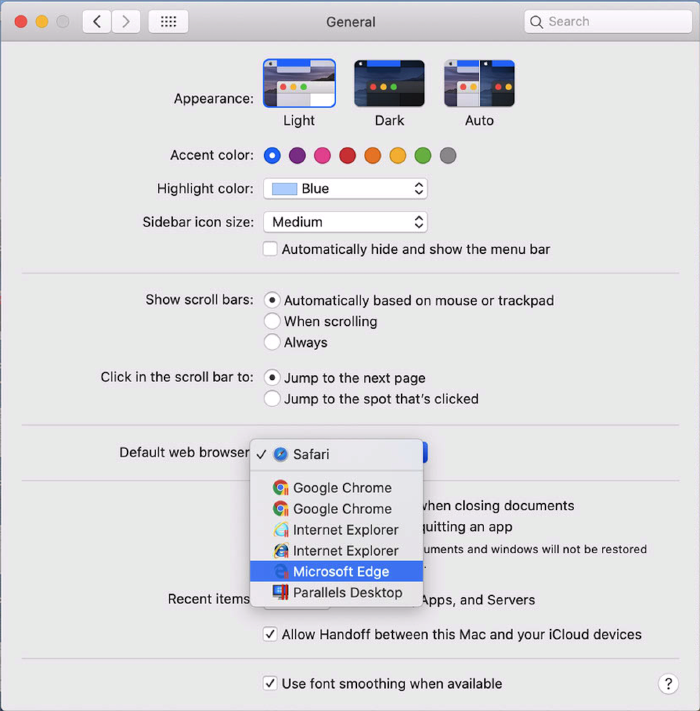
Now if you click a link in macOS, it will open in the selected Windows browser.
To set all links that you click in Windows to always open in macOS, do the following:
- In Windows, click the Start button > Settings > Apps > Default apps .
-
Click a browser in the
Web browser
section and select a macOS browser.
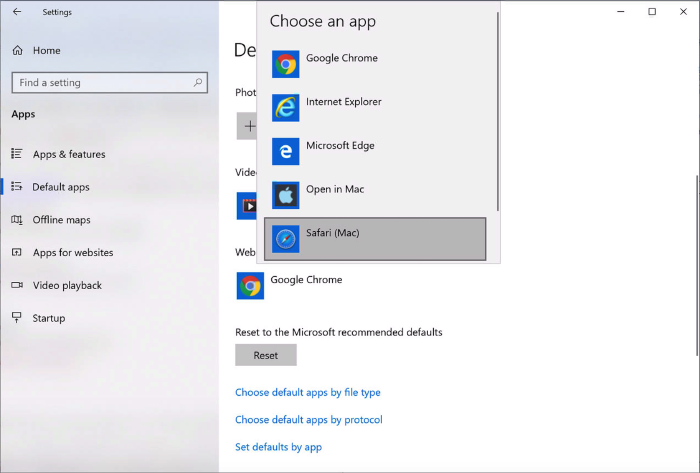
Now if you click a link in Windows, it will open in the selected macOS browser.
Set Emails to Always Open in macOS or Windows
To set all emails that you open in macOS to always open in Windows, do the following:
- In macOS, open the Mail app Preferences > General .
-
From the
Default email reader
menu, select a Windows email application.
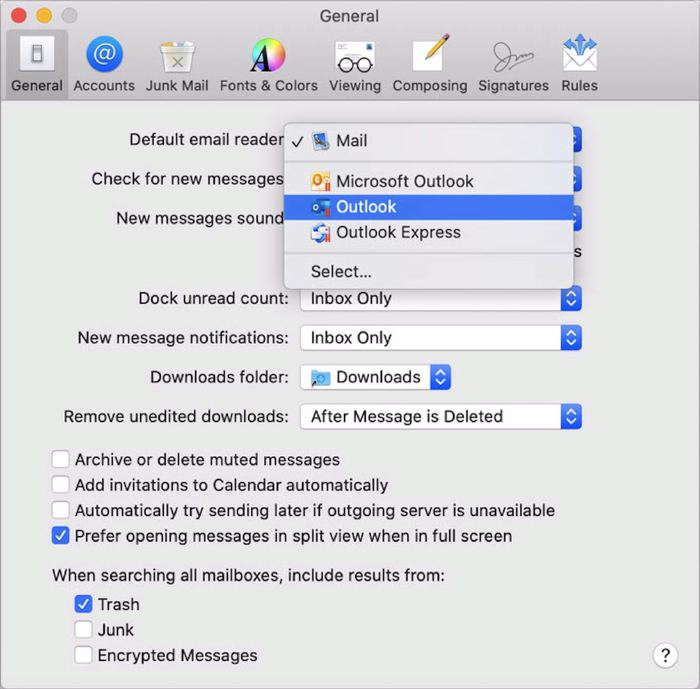
Now if you double-click an email in macOS, it will open in the selected Windows email app.
To set all emails that you open in Windows to always open in macOS, do the following:
- In Windows, click the Start button > Settings > Apps > Default apps .
-
Click an email application in the
Email
section and select a macOS email app.
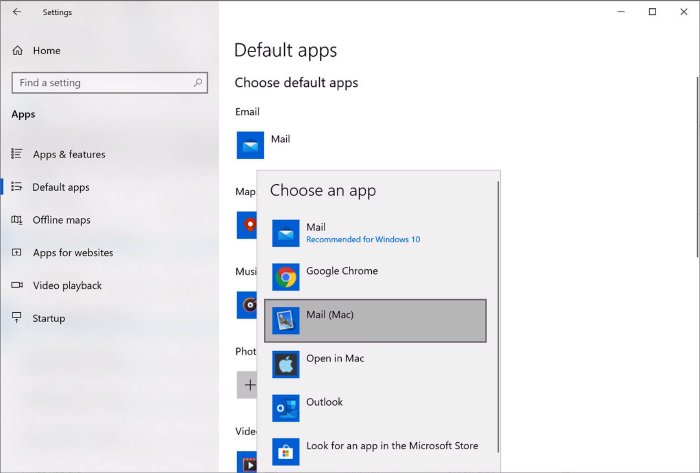
Now if you double-click an email in Windows, it will open in the selected macOS email app.
 Top of page
|