|
|
|
|


Export a Computer List to a File
To export a computer list to a CSV file, do the following:
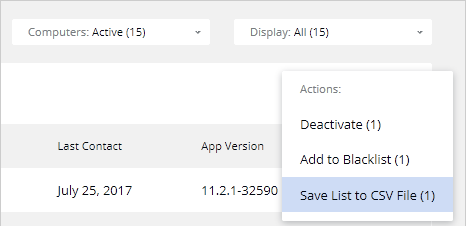
- If necessary, filter the list by clicking the Computers drop-down menu and selecting from Active , Deactivated , or Blacklisted . Note that only the computers that are displayed in the list can be included in the file.
- Select one or more computers that you want to include in the file. To select all computers, select the checkbox on the table header.
- Click the Actions drop-down menu and choose Save List to CSV File .
 Top of page
|
 Feedback
|