More Options
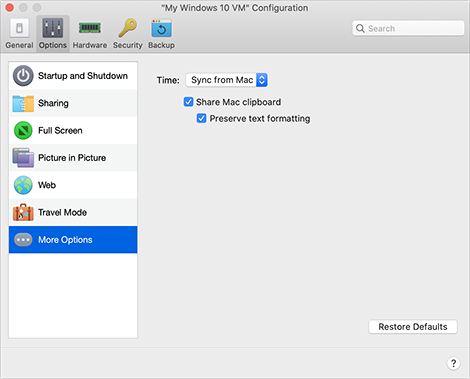
In the More Options pane, you can choose whether to share the Mac clipboard and set whether to sync time from macOS.
To open these settings, choose Actions > Configure > Options , then click More Options .
|
Option |
Description |
|
Time |
Select Sync from Mac to synchronize the virtual machine time settings with those of your Mac. If you want the virtual machine and macOS time settings to always be the same, select Sync from either OS . With this option selected, if you manually change the time settings in the virtual machine, they are changed accordingly in macOS and vice versa. If the time zone set in your virtual machine differs from that of your Mac, you can maintain this time difference by selecting Do not sync . |
|
Share Mac clipboard |
If you want to copy and paste data between the host and guest operating systems, select Share Mac clipboard . If the data you copy and paste between macOS and your virtual machine is text and you want to preserve text formatting, select Preserve text formatting . |
 Top of page
|